
SAN and NAS - storage systems
Basically, both SAN (STORAGE AREA NETWORK) and NAS (NETWORK-ATTACHED STORAGE) are “storage servers” but with a closed operating system designed for storage distribution. Depending on the hardware technology and software capabilities, we can distinguish between NAS and SAN.
A SAN (Storage Area Network) provides a set of storage resources that can be centrally managed and allocated as needed, but what is the difference between a SAN and a NAS, and how is storage traffic segregated?
A storage area network (SAN) is a high-speed network that provides block-level access to storage. The goal of SANs is to improve application availability and performance by separating storage traffic from the rest of the LAN.
SANs allow companies to more easily allocate and manage storage resources, achieving greater efficiency. “Instead of having isolated storage capacities on different servers, you can share a pool of capacity across several different workloads and divide it as needed. It’s easier to secure, and it’s easier to manage,” says Scott Sinclair, senior analyst at Enterprise Strategy Group.
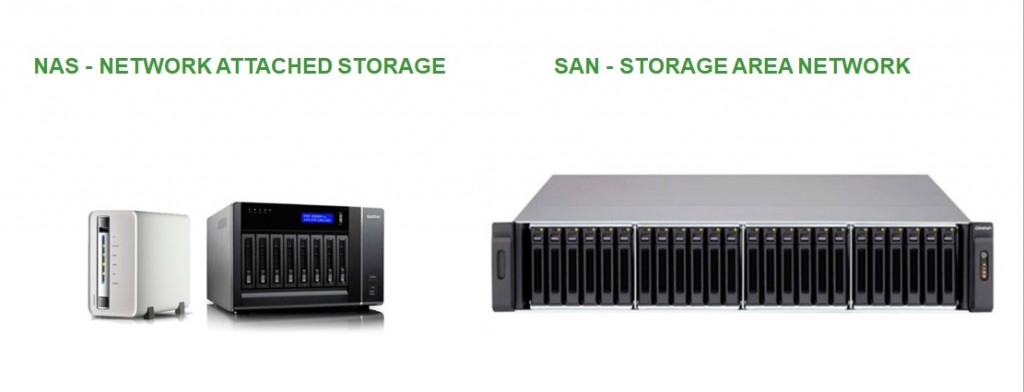 Unlike NAS devices, storage cabinets operate at a low level, at the block level (unlike NAS, which operates at the file level). Communication is similar to that between a computer and its local drives (SATA, SCSI, etc.).
Typically, the connection to storage arrays is made via dedicated high-speed networks, but it is standard practice for that network to be isolated from the LAN. This ensures that communication with the storage is independent of the company’s general network, which does not interfere.
As can be inferred, SAN units provide much higher performance than NAS systems and are particularly well-suited for storing databases, system virtualization (VMware, Hyper-V, VDI), etc.
Furthermore, another key advantage is that SAN devices offer much greater scalability than NAS devices. SAN storage arrays allow us to add as many disk trays as needed to provide more capacity to our systems.
A SAN array typically comes equipped with network electronics (Fiber Channel, 10 Gbps Ethernet, or SAS).
Generally speaking, a NAS is about 10 times cheaper than a storage array or SAN.
In the refurbished market, there isn’t as much of a price difference, so it’s more important to note that a NAS delivers data more easily, while a storage array provides storage to servers that manage the data.
Whether your company is just getting started or already has an established IT infrastructure, MercadoIT can help you implement solutions to resolve storage issues and lay the foundation for your business’s growth.
Unlike NAS devices, storage cabinets operate at a low level, at the block level (unlike NAS, which operates at the file level). Communication is similar to that between a computer and its local drives (SATA, SCSI, etc.).
Typically, the connection to storage arrays is made via dedicated high-speed networks, but it is standard practice for that network to be isolated from the LAN. This ensures that communication with the storage is independent of the company’s general network, which does not interfere.
As can be inferred, SAN units provide much higher performance than NAS systems and are particularly well-suited for storing databases, system virtualization (VMware, Hyper-V, VDI), etc.
Furthermore, another key advantage is that SAN devices offer much greater scalability than NAS devices. SAN storage arrays allow us to add as many disk trays as needed to provide more capacity to our systems.
A SAN array typically comes equipped with network electronics (Fiber Channel, 10 Gbps Ethernet, or SAS).
Generally speaking, a NAS is about 10 times cheaper than a storage array or SAN.
In the refurbished market, there isn’t as much of a price difference, so it’s more important to note that a NAS delivers data more easily, while a storage array provides storage to servers that manage the data.
Whether your company is just getting started or already has an established IT infrastructure, MercadoIT can help you implement solutions to resolve storage issues and lay the foundation for your business’s growth.